Every
template_slide_id comes from template analysis. If you upload a fresh copy of the template, replace the demo slide_* values with the slideId values returned for your upload.Visual Overview
Generation starts with a PowerPoint template and a deck request JSON. The template supplies the reusable slide layouts; the JSON supplies the content and rendering options.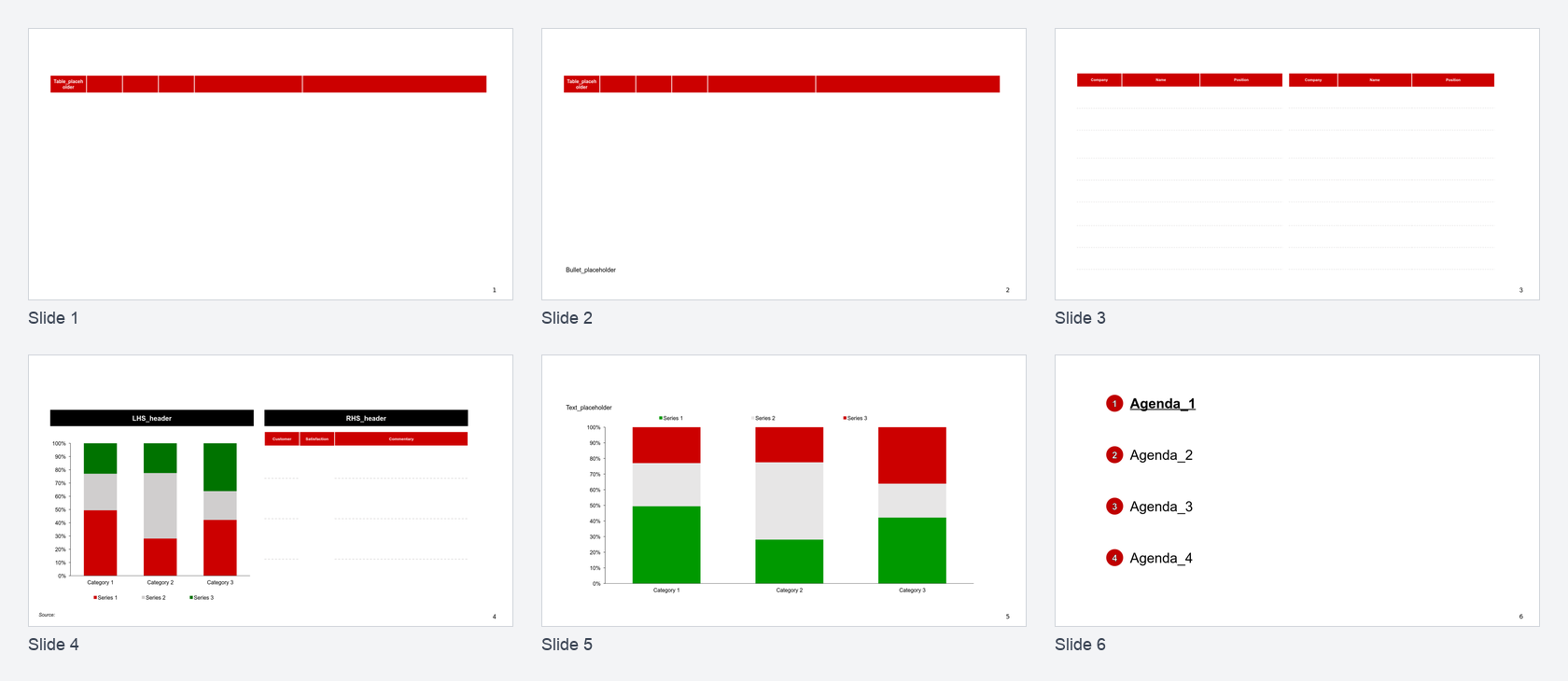
Template input: six reusable slide layouts
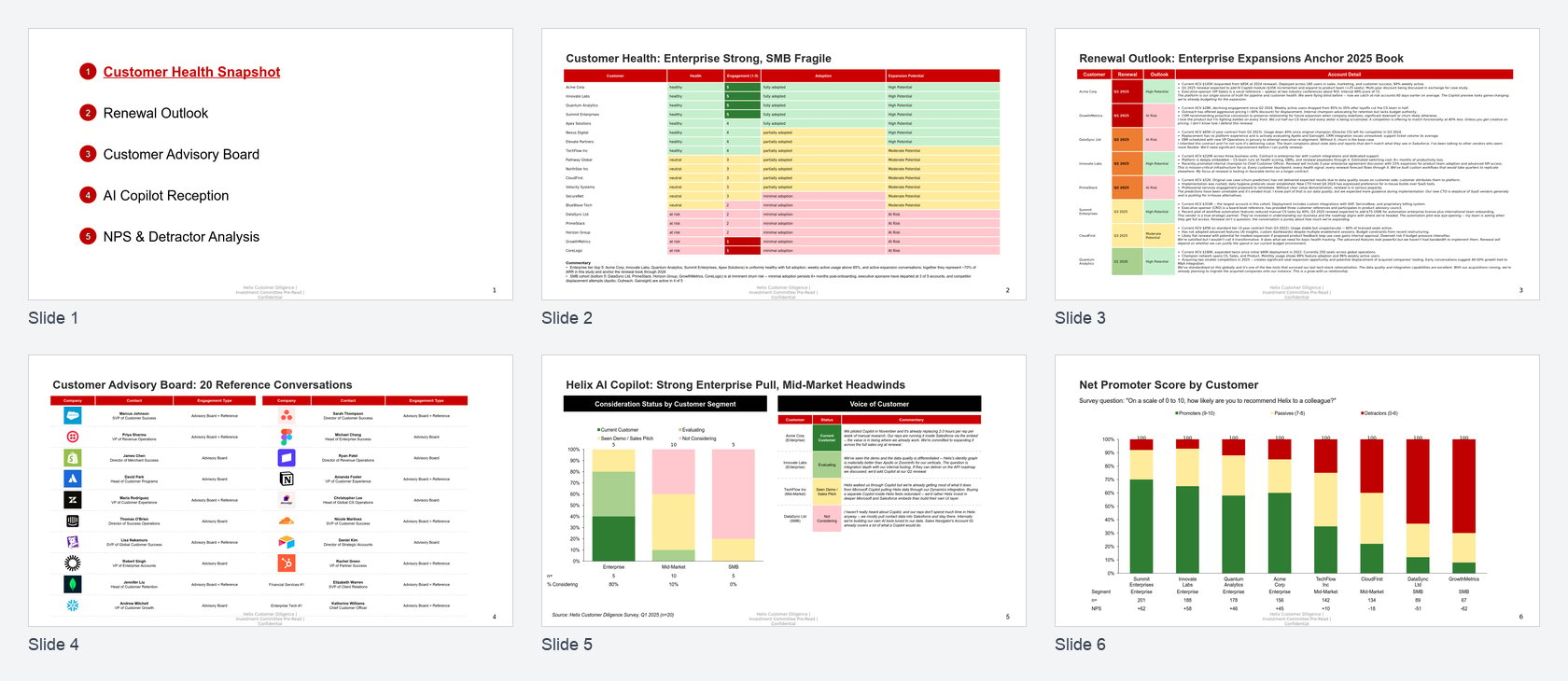
Generated output: the same six slides after JSON content is applied
Full Deck Walkthrough
1. Set Request Variables
2. Upload the Template
Upload your PowerPoint template once. The API returns atemplate_id plus a signed upload URL.
3. Analyze the Template
Analysis reads the PowerPoint file and assigns aslideId to each template slide. Those IDs are what the generation request uses as template_slide_id.
slideId is a stable identifier you pass as template_slide_id in generation requests. The actual values are short hex strings — for readability, the rest of this guide uses semantic names (slide_agenda, slide_table_only, etc.) in place of those IDs.
The generated output uses this layout mapping:
When you upload the template yourself, swap the semantic placeholders in the request below for whatever
slideId values your analysis returns.
4. Review the Deck Request
The deck request JSON is shaped forgenerate-deck. The outer object has slides and deck-level options.
Request spine
Request spine
5. Generate the Deck
Submit the JSON file to the async deck-generation endpoint:generation_id and status_url.
6. Poll for Completion
status is completed or partial. The completed result includes total_pages_generated, per-slide results, and a download_url.
7. Download the Output
Equivalent Helper Flow
An SDK helper or demo script should perform the same operations:- Upload the template.
- Analyze the uploaded template and read the six
slideIdvalues. - Load the deck request JSON.
- Ensure each slide points at the template slide with the matching layout.
- Call
generate-deck, poll status, and download the finished.pptx.
Payload Snippets
Use these smaller examples when you only need one slide pattern.Text slide
Text slide
Logo table slide
Logo table slide
Chart with labels and data rows
Chart with labels and data rows